
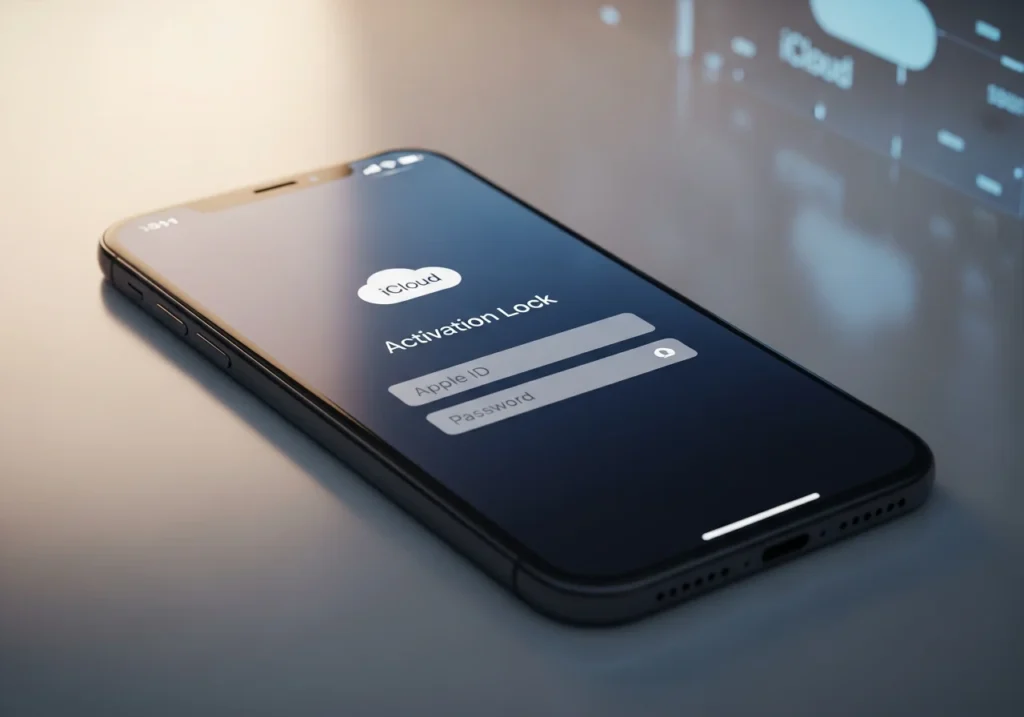
An iCloud locked iPhone can turn what seems like a promising device purchase into an expensive paperweight. Whether you’ve forgotten your Apple ID, bought a second-hand device, or are trying to sell an old iPhone, understanding Activation Lock is essential for anyone using Apple products.
This guide will explain what an iCloud locked iPhone is, how to check its lock status, legitimate ways to unlock it, and key tips for buyers and sellers. By the end, you’ll know how to navigate this security feature safely and avoid costly mistakes.
What Is an iCloud Locked iPhone?
An iCloud locked iPhone is a device protected by Apple’s Activation Lock. This security feature prevents anyone from using, erasing, or reactivating the device without the original owner’s Apple ID and password. Activation Lock is part of Find My iPhone and automatically turns on when Find My is enabled.
Understanding Activation Lock
Introduced in iOS 7, Activation Lock ties your iPhone to your Apple ID, creating a secure connection that remains even after a factory reset. If someone tries to steal or reset your iPhone, they’ll encounter a screen asking for your credentials.
This lock operates at a hardware level through Apple’s servers, so simply replacing parts or reinstalling firmware cannot bypass it. For thieves, this makes stolen iPhones largely worthless, significantly reducing theft incentives.
How iCloud Lock Protects Your Device
Activation Lock does more than deter theft. It protects your personal data—photos, messages, accounts—and ensures that lost devices cannot be erased or reactivated without the original Apple ID. It also safeguards your device during repairs and resale:
- Repairs: Technicians cannot access or tamper with your data.
- Resale: New owners must register the device with their own Apple ID, keeping the security chain intact.
Why Devices Become Locked
iPhones can become iCloud locked for three main reasons:
- Forgotten Apple ID credentials: Common when devices haven’t been used for a long time.
- Lost or stolen devices: Owners activate Lost Mode remotely via Find My iPhone.
- Factory resets without signing out: Resetting a device without signing out leaves it tied to the previous owner’s Apple ID.
How to Check if an iPhone Is iCloud Locked
Before buying a used iPhone or troubleshooting your own device, check its lock status.
Using Apple’s Activation Lock Status Tool
Apple provides a free online tool to check Activation Lock status. Enter the device’s IMEI or serial number on Apple’s Activation Lock page to see if the lock is enabled.
- Finding your IMEI/serial number: Look on the original packaging, the SIM tray, Settings > General > About, or via iTunes when connected to a computer.
- Red flag: If a seller refuses to provide this information, proceed with caution.
Checking a Device In-Person
- Ask the seller to power on the device and unlock it with their passcode.
- Navigate to Settings > [Name] to confirm Apple ID access.
- Request a test erase: Settings > General > Reset > Erase All Content and Settings. Watch for the Apple ID prompt. Stop before completion to retain the device.
- Verify cellular connectivity, camera, buttons, and other functionality.
Signs a Device Is iCloud Locked
- Activation Lock screen showing “iPhone is linked to an Apple ID.”
- Seller refuses to demonstrate device functionality.
- Price far below market value.
- Missing packaging, accessories, or proof of purchase.
- Device already factory reset.
- Limited or anonymous seller communication.
If you see any of these, walk away.
Common Causes of iCloud Lock
Forgotten Apple ID or Password
Many users forget their credentials over time, making account recovery complicated if the email is inaccessible. Two-factor authentication and security questions help, but access can still be challenging.
Lost or Stolen Devices
Owners can enable Lost Mode remotely. Stolen iPhones may appear in the resale market, but original owners retain legal rights. Always verify device status before buying.
Resetting Without Logging Out
Factory resetting without signing out leaves the device locked. Proper steps:
- Settings > [Name] > Sign Out
- Settings > General > Reset > Erase All Content and Settings
Skipping sign-out is common when trading, selling, or troubleshooting.
How to Unlock an iCloud Locked iPhone
Using Apple ID and Password
The simplest method is entering the correct Apple ID and password. If forgotten:
- Tap “Forgot Apple ID or Password” on the lock screen.
- Follow prompts to reset the password.
- Enter the new password to unlock the device.
Contacting Apple Support
Apple can remove Activation Lock with proof of purchase (receipt showing serial number, purchase date, and retailer). The process takes several days.
Third-Party Unlock Services – Pros and Cons
- Legitimate services: Work with Apple, request proof of purchase, reasonable fees, reliable timelines.
- Scams: Promise instant unlocks, low prices, require only IMEI and payment, no real contact info.
Risks of unauthorized methods: instability, inability to update iOS, loss of Apple services, legal issues, voided warranty. Only Apple-approved methods are safe and permanent.
Buying or Selling iCloud Locked iPhones
Buying
Technically possible but rarely practical. A locked iPhone functions mostly as a media device. The only legitimate purpose: purchasing for parts.
Never buy expecting to unlock later. Scams often claim easy unlocks.
Selling
Be transparent. Disclose the lock clearly in listings and conversations. Options if you cannot unlock:
- Sell for parts, clearly marked “iCloud locked.”
- Price below functional device value.
- Provide full disclosure.
Attempting to disguise a locked iPhone is illegal and risky.
Avoiding Locked Devices When Buying Used
- Research typical prices.
- Check IMEI or serial number.
- Verify device power-on and Apple ID access.
- Meet in safe, public locations.
- Test device features thoroughly.
- Watch erase and Apple ID prompt.
Red flags include excuses, refusal to demonstrate functionality, extremely low prices, and anonymous sellers.
Common Troubleshooting
iPhone Stuck on Activation Screen
Solutions:
- Enter correct Apple ID/password: Check for typos, capitalization, special characters.
- Contact previous owner: Have them remove the device from iCloud.
- Apple Support: Provide proof of purchase for verification.
Forgotten Apple ID Password
- Use iforgot.apple.com
- Follow prompts for email, security questions, or account recovery
- Two-factor authentication: reset via trusted device
iCloud Locked After Reset
- Enter known credentials or reset via trusted device
- Initiate account recovery if no access to trusted devices
- Prevent future lockouts by signing out before resets
Summary & Recommendations
Activation Lock is a crucial anti-theft measure. Understanding it helps buyers avoid scams, sellers stay transparent, and owners manage devices securely.
For buyers:
- Never buy an iPhone without verifying lock status.
- Always watch the seller demonstrate full device access.
For sellers:
- Sign out of iCloud before resetting.
- Provide IMEI numbers and proof of ownership.
- Demonstrate functionality for buyers.
Best practices:
- Record Apple ID credentials securely.
- Enable two-factor authentication.
- Keep receipts and trusted contacts.
- Verify credentials periodically.
- Follow proper sign-out/reset sequence when selling.
By following these steps, you minimize risks and ensure a safe experience in the Apple ecosystem. For smoother device management and to prevent future lockouts, consider iCloud space optimization to ensure your iCloud account runs efficiently and avoids storage-related issues. Additionally, it’s helpful to Analyze iCloud Storage periodically to monitor space usage, identify potential syncing problems, and ensure all your devices are correctly backed up.
For official guidance, always consult Apple Support.
What Does iCloud Locked Mean?
iCloud locked means Activation Lock is enabled on an iPhone, tying it to a specific Apple ID. The device cannot be set up, used, or erased without entering the associated Apple ID and password. This security feature activates automatically when you enable Find My iPhone and persists even after factory resets. It’s designed to protect your device and data from theft and unauthorized access.
Can You Remove iCloud Lock Without Apple ID?
No legitimate method exists to remove iCloud lock without the Apple ID and password. Apple intentionally designed this security feature to be unbreakable without proper credentials. Anyone claiming they can bypass Activation Lock without the Apple ID is either lying, planning to use your device for parts, or attempting to scam you. The only legal way to remove the lock is by entering the correct Apple ID password or providing proof of purchase to Apple Support.
How to Know if a Used iPhone is iCloud Locked
Check a used iPhone’s Activation Lock status by entering its IMEI or serial number into Apple’s Activation Lock status tool on their official website. When meeting a seller in person, ask them to power on the device and navigate to Settings > [Name] to demonstrate Apple ID access. Before completing the purchase, have them initiate a device erase (Settings > General > Reset > Erase All Content and Settings) and watch them enter their Apple ID password. If they cannot or will not perform these steps, the device may be locked or stolen.
How to Unlock iCloud Locked iPhone Legally
Legal unlock methods require either proper credentials or proof of ownership. If you know the Apple ID and password, simply enter them on the Activation Lock screen. If you’ve forgotten your password, use Apple’s password recovery at iforgot.apple.com. If you cannot recover your account but own the device, contact Apple Support with original purchase documentation showing the device serial number. Apple will verify ownership and remove Activation Lock within several days. No other method is both legal and permanent.